Wednesday, 26 January 2011
Storyboarding the Thriller - Part 2

Storyboarding the Thriller - Part 1
For our thriller, I was charged with creating the storyboard and piecing together all of the matched shots that we had thought up in the lesson previous to this, such as the burning photo/cigarette,and the cut from one photo to the same one in a different room. At the moment i think we hae 5 unique matched cuts, with a few repeats on objects. (mainly photos.) The image to the left is a section of the original sketched storyboard in which I used 2 sheets of A3 paper,(one for each room) and planned the shot like that. This was the most challenging part of storyboarding, as I had to actually visualise the shots in my head, and the effect we wanted the audience to get from each shot.
Thursday, 13 January 2011
Final Ideas Pitch
In this session, we got the whole group together and narrowed down our ideas to one each.
- My idea: was to set it in Peaslake, one of the boarding houses, and show how a seemingly harmless evening at a boarding house ends up with all the students dead the next morning, all killed in mysterious ways.
- Nina's idea: was about a teenage serial killer, who kills out of jealousy and is very methodical and messed up in the head.
- Sopia's idea: was to set the film in a police station, with a suspect being interviewed. The viewer would be partly watching on a CCTV camera, and see things that only the camera could detect.
- Courtney's idea: was about a girl who breaks down on a fairly deserted road, near a seemingly abandoned warehouse. The girl then goes inside and gets murdered.
Once we had all presented our final ideas, we decided to vote on an idea, and we couldn't vote for our own. Nina's idea won it, but when we presented the idea to Matt and Luke, they said we needed to change a lot of it as our idea was unbelievable. So we changed the scenario to include matched cuts of her planning a kill to shots of her victim. Again we were told to scrap the idea, and we decided to change the story from a girl planning a murder to a couple that have had a violent break-up, and the scene is a foreshadow of events to come, i.e. the guy's murder.
Our new plot was much more popular and we felt that more of our audience would identify with it, as most people have gone through a break-up where they have felt either like Ellie, (violent, destructive, distraught) or like Matt, (doesn't really give a damn, little remorse).
Wednesday, 29 December 2010
Using the Video Cameras
As I wasn't here for this session, I had to pick everything up as we were shooting our preliminary task. Most of it was fairly straightforward for anyone that has ever used an electronic device before: On switch, battery remaining indicator, things like that. Next was the time code, which is in the corner of the screen and is broken down into 4 number readings.
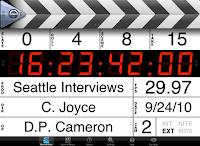 From left to right they are: HH:MM:SS:FF, the last being frames per second. Usually on the cameras we use, there are 25 fps.
Next I was shown how to use the zoom and focus, and was instructed to zoom all the way in and then out again, to make sure the subject is in focus.
Next I got a quick briefing on exposure, shutter speed and colour temperature, which wasn't too difficult as it is the same as in photography. Exposure is shown in F stops, ranging from 1 to 22, which measure the amount of light in the shot. By raising the shutter speed, you increase the clarity of the shot and by lowering it, you can blur it. With colour temperature, you first need to set the white balance, by focusing on a white flat surface in the general location of your shoot.
 From left to right they are: HH:MM:SS:FF, the last being frames per second. Usually on the cameras we use, there are 25 fps.
Next I was shown how to use the zoom and focus, and was instructed to zoom all the way in and then out again, to make sure the subject is in focus.
Next I got a quick briefing on exposure, shutter speed and colour temperature, which wasn't too difficult as it is the same as in photography. Exposure is shown in F stops, ranging from 1 to 22, which measure the amount of light in the shot. By raising the shutter speed, you increase the clarity of the shot and by lowering it, you can blur it. With colour temperature, you first need to set the white balance, by focusing on a white flat surface in the general location of your shoot.
Monday, 6 December 2010
Thriller Ideas
Last week we began discussing ideas for our thriller opening scenes, but as half of my group were away on a business trip, we only had input from the 2 of us that day. However we did get some good ideas floating around, some of which were
- Possesed child,
- Mysterious deaths in boarding house
- Terrorist siege/attack
- Ghostly CCTV images in police station
Wednesday, 1 December 2010
Storyboarding - What is it?

A good storyboard provides the director with an outline of what needs to be shot, as although he may have an idea of what he wants to shoot, he won't have thought of every single shot that is required. Storyboards are there as a sort of guideline, and often on the shoot day, directors will change elements in the shoot or alter the shot order if, on camera things don't look quite right.
Monday, 29 November 2010
Key Vocabulary
Film Language
- Mise-en-scene - Everything in the shot that tells the audience something about the scene.
- Sound - The music or effects that trigger responses from the audience. Most effective when loud noise is used, to make people jump.
- Lighting - Creates atmosphere If all is dark with pools of light this can create tension or a sense of unease, wheras if everything is bright then the atmosphere is more relaxed.
- Editing - Takes place when the filming has ceased, the editor takes the best shots and puts them in sequence, whilst adding effects and such if needed.
- Matched cut - A cut in which a familiar relationship between shots make the change seem 'smooth'.
- Jump cut - An abrupt switch from one scene to another, used to make a dramatic point.
- Motivated cut - A cut used to show the viewer something not immediately visible. Often used for changes of speaker.
- Cross cut - A cut from one narrative or line of action to another.
- Cutaway - A 'bridging' shot between two shots of the same subject, often used to soften uncomfortable jumps in time or space.
- Match on action - A cut in which two parallel actions are mirrored in order to suggest a strong relationship between two scenes.
- Reaction shot - Any shot in which a participant reacts to events.
- Fade - A transition to or from a blank screen.
- Dissolve - A slow transition as one image merges into another.
- Wipe - An optical effect in which one shot 'wipes' another off the screen for dramatic effect.
- Superimposition - Two or more images placed directly on top of each other.
- Split screen - division of screen in order to show two or more lines of action simultaneously.
Subscribe to:
Posts (Atom)